Closing your account
Closing ends your plan at the end of the billing period. Your data is deleted 30 days after that. You can reopen until then.
Steps
An Owner or an organization-level Admin can close the account.
- In Account settings, open Plan & Usage under Org Settings.
- On the Close account card, choose Close account and confirm. Nothing stops today and nothing is refunded.
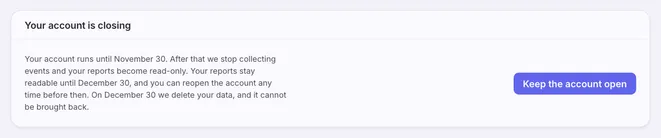
The card now reads Your account is closing, with the date the account stops and the date its data is deleted. An email confirms both dates.
What happens next
| When | What happens |
|---|---|
| Until the end of the billing period | Everything runs as normal |
| For 30 days after that | Reports stay readable. Choose Keep the account open to reopen |
| On the deletion date | Your data is deleted. It cannot be recovered |
The privacy policy sets out how long Numbat keeps each kind of data while an account is open.